- Top
- Products & Technologies
- Nutrunners
- SHDN Handheld Nutrunner
SHDN Handheld
Nutrunner
SHDN Handheld
Nutrunner
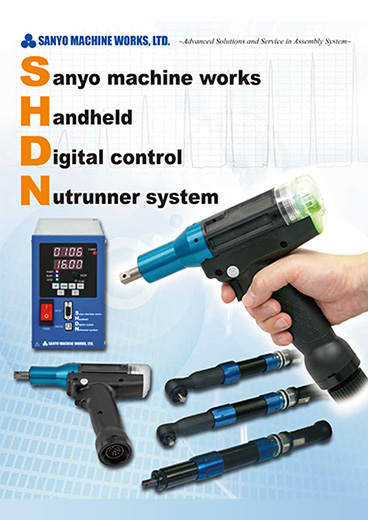
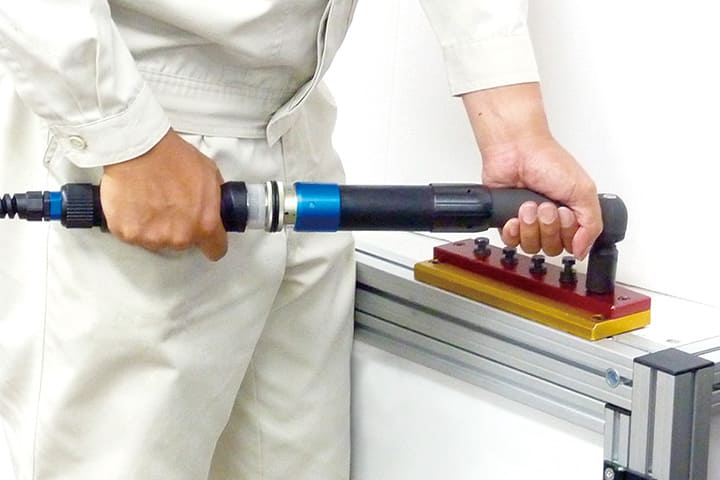
These handheld Nutrunner "SHDN" which are based upon the accumulated experience realize fastening quality and work efficiency at the same time by high fastening accuracy and low reaction technology.These are sure to contribute to the fastening quality and productivity improvement.
Features
High performance & High Durability & High Reliability
The SHD-T2 type of pistol tool is a world-class high-speed tool that achieves speeds over 3 times faster than an original (our comparison, rated torque 10.0 N.m type) and has passed one million consecutive runninng test. Sanyo's designed quick response motor minimizes overrun, allowing fast seating and reduced fastening times.
Impact Mode
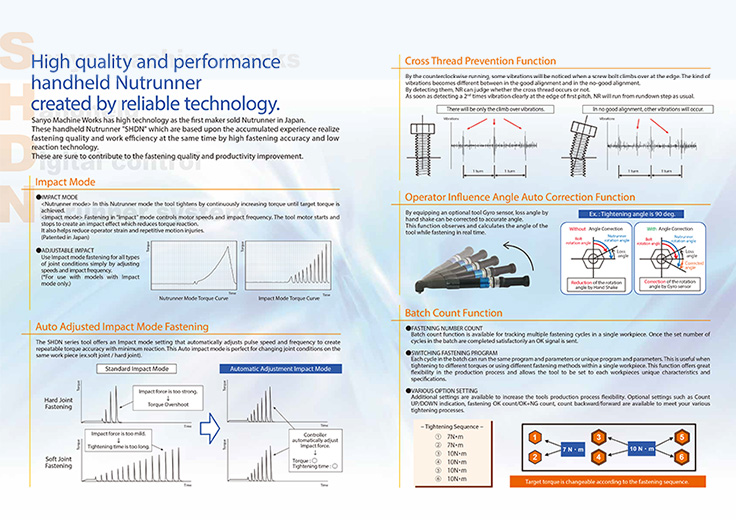
<Nutrunner mode> In this Nutrunner mode the tool tightens by continuously increasing torque until target torque is achieved. <Impact mode> Fastening in "Impact" mode controls motor speeds and impact frequency. The tool motor starts and stops to create an impact effect which reduces torque reaction. It also helps reduce operator strain and repetitive motion injuries. (Patented in Japan.) Use Impact mode fastening for all types of joint conditions simply by adjusting speeds and impact frequency. (*For use with models with Impact mode only.)
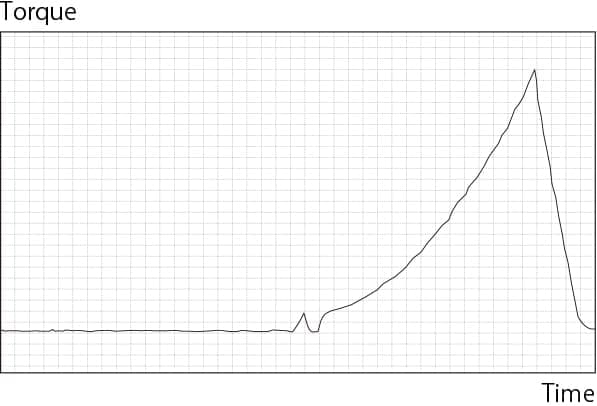
Nutrunner Mode
Torque Curve
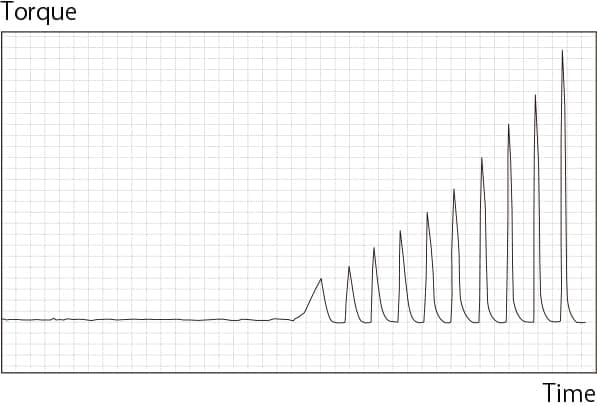
Impact Mode
Torque Curve
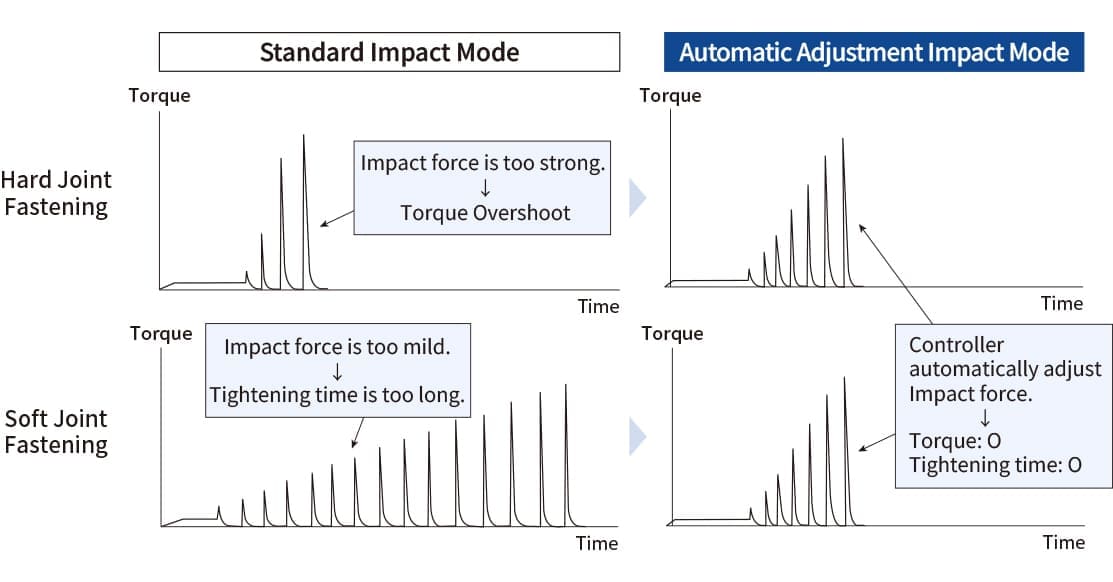
Auto Adjusted Impact Mode Fastening
The SHDN series tool offers an Impact mode setting that automatically adjusts pulse speed and frequency to create repeatable torque accuracy with minimum reaction. This Auto Impact mode is perfect for changing joint conditions on the same work piece (ex.soft joint / hard joint).
Batch Count Function
Batch count function is available for tracking multiple fastening cycles in a single workpiece. Once the set number of cycles in the batch are completed satisfactorily an OK signal is sent. Each cycle in the batch can run the same program and parameters or unique program and parameters. This is useful when tightening to different torques or using different fastening methods within a single workpiece. Additional settings are available to increase the tools production process flexibility. Optional settings such as Count UP/DOWN indication, fastening OK count/OK+NG count, count backward/forward are available to meet your various tightening processes.

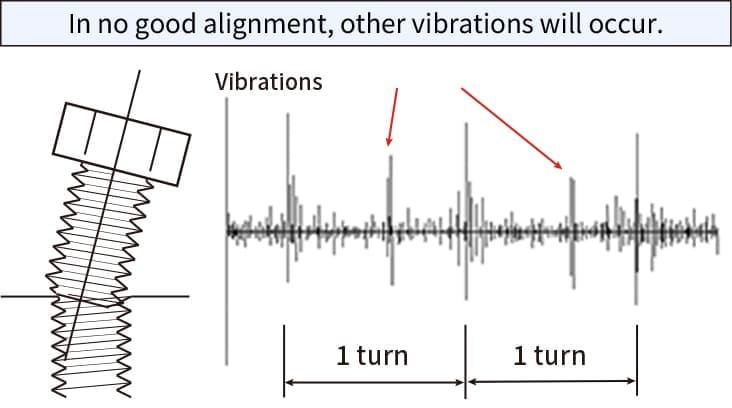
Cross Thread Prevention Function
Option
The nutrunner recognizes whether the bolt is oriented straight during the counterclockwise running, and after checking the posture of the bolt and the edge of first pitch, it immediately rotates forward to prevent the cross thread.
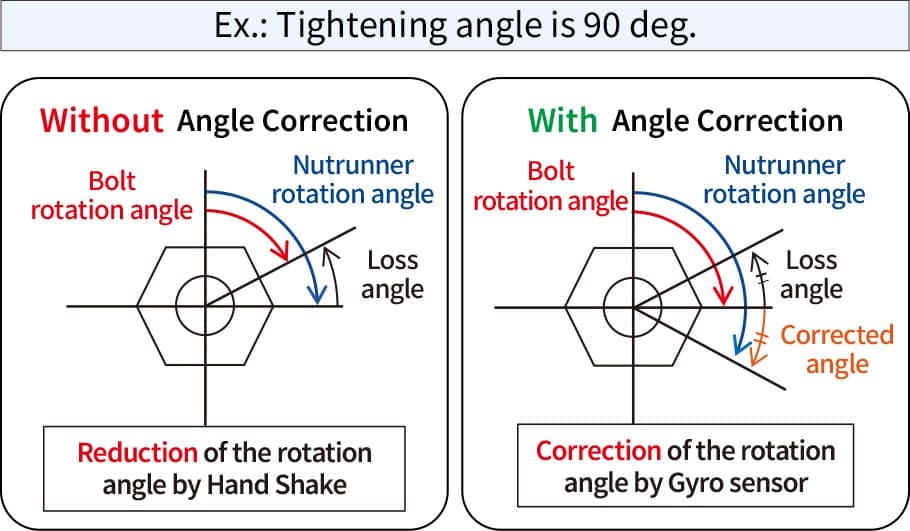
Operator Influence Angle Auto Correction Function
Option
By equipping an optional tool Gyro sensor, loss angle by hand shake can be corrected to accurate angle. This function observes and calculates the angle of the tool while fastening in real time.
Specifications
Tool
| Type | Model | Rated Torque (N•m) |
Maximum Torque (N•m) |
Free Speed (rpm) |
Weight (kg) |
Fastening Accuracy (%) |
|---|---|---|---|---|---|---|
|
High-Speed Pistol |
SHD-T2-010P | 10 | 14 | 3750 | 1.10 |
±5 (3σ/Rated Torque) (Nutrunner Mode) |
| SHD-T2-012P | 12 | 16 | 3000 | |||
| SHD-T2-020P | 20 | 32(Impact Mode) | 1730 | 1.30 | ||
|
High-Speed Impact Pistol |
SHD-T2-016P | 16 | 16 | 3000 | 0.95 | |
| SHD-T2-032P | 32 | 32 | 2645 | 1.15 | ||
| SHD-T2-050P | 50 | 50 | 2600 | (※) | ||
| SHD-T3-080P | 80 | 80 | 2140 | 1.96 | ||
| Angle | SHD-T1-020A | 20 | 20 | 675 | 1.35 | |
| SHD-T2-050A | 50 | 50 | 740 | 1.85 | ||
| SHD-T2-100A | 100 | 100 | 540 | 2.55 | ||
| SHD-T2-150A | 150 | 150 | 335 | 3.25 | ||
| SHD-T2-220A | 220 | 220 | 250 | 5.00 | ||
| Straight | SHD-T1-005S | 5 | 5 | 1125 | 1.20 | |
| SHD-T1-010S | 10 | 10 | ||||
| SHD-T2-030S | 30 | 30 | 1230 | 1.72 | ||
| SHD-T2-050S | 50 | 50 | 900 | 2.36 | ||
| SHD-T2-085S | 85 | 85 | 555 | 2.60 | ||
| SHD-T2-150S | 150 | 150 | 320 | 3.95 |
*Square 9.52mm type : 1.72 / Square 12.7mm type :1.83
Controller
| Model | Input Power(V) | Average Power Consumption(W) |
Instant Peak Current(A) |
Weight (kg) |
Operating Temperature(℃) |
|---|---|---|---|---|---|
| SHD-DT2-1 | AC 90〜127 | 160 | 42.4 | 2.8 |
0〜50 (Do not condense dew) |
| SHD-DT2-2 | AC 180〜253 |
Tool type

*1 SHD-T1-012P, SHD-T2-010P, SHD-T2-012P and SHD-T2-016P four models only.
*2 SHD-T2-050P model only.
Dimensions
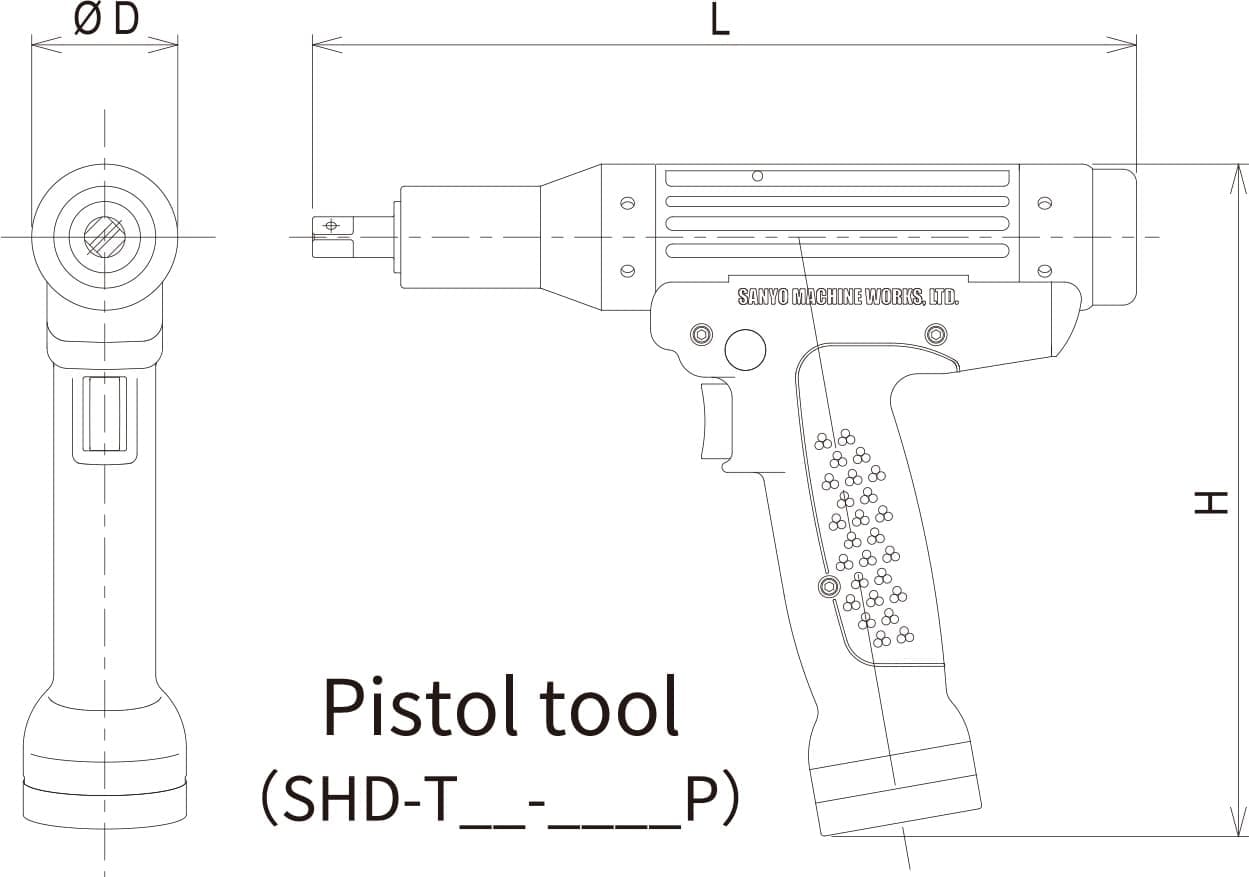
Pistol tool
| Type | Model | Size(mm) | Output Axis(mm) | ||
|---|---|---|---|---|---|
| D | H | L(※1) | |||
|
High-Speed Pistol |
SHD-T2-010P | 43 | 198 | 242.5 | (※2) |
| SHD-T2-012P | |||||
| SHD-T2-020P | 269 | Square 9.52 | |||
|
High-Speed Impact Pistol |
SHD-T2-016P | 43 | 198 | 213 | (※2) |
| SHD-T2-032P | 229.5 | Square 9.52 | |||
| SHD-T2-050P | 49 | 202.5 | 270 | (※3) | |
| SHD-T3-080P | 58 | 220.4 | 272 | Square12.7 | |
*1 The length depends on output axis. (The upper table shows the size of the square type.)
*2 Square 9.52 or hex female 6.35
*3 Square 9.52 or square 12.7. In case of over 45N·m, it is recommended to use square12.7 type.
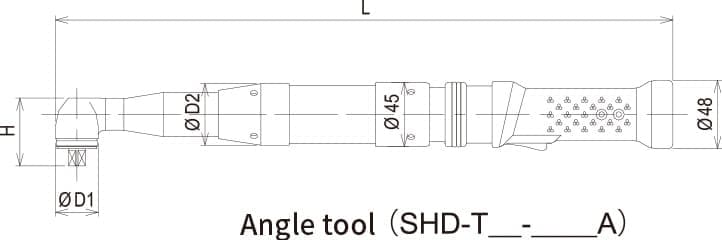
Angle tool
| Type | Model | Size(mm) | Output Axis (mm) |
|||
|---|---|---|---|---|---|---|
| D1 | D2 | H | L | |||
| Angle | SHD-T1-020A | 30 | 43 | 48 | 434 | Square 9.52 |
| SHD-T2-050A | 36 | 45 | 52 | 477 | ||
| SHD-T2-100A | 46 | 54 | 65.5 | 498 | Square 12.7 | |
| SHD-T2-150A | 54 | 56 | 75 | 505 | Square 15.88 | |
| SHD-T2-220A | 63 | 56 | 87 | 792 | Square 19.05 | |
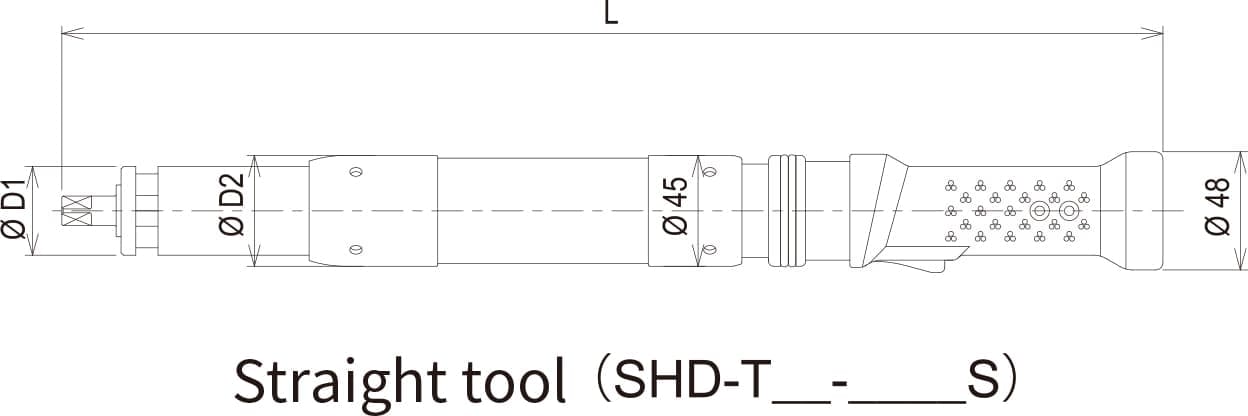
Straight tool
| Type | Model | Size(mm) | Output Axis (mm) |
||
|---|---|---|---|---|---|
| D1 | D2 | L | |||
| Straight | SHD-T1-005S | 31 | 43 | 390 | Square 9.52 |
| SHD-T1-010S | |||||
| SHD-T2-030S | 36 | 45 | 446 | ||
| SHD-T2-050S | 44 | 54 | 456 | Square 12.7 | |
| SHD-T2-085S | 47 | 56 | 469 | ||
| SHD-T2-150S | 64 | 73 | 489.5 | Square 15.88 | |
Controller

The above-mentioned specification may be changed without prior notice.
Peripheral Equipment
User Interface Terminal Software (UIT)
NUTRUNNER SUPPORT SOFTWARE
By using the User Interface Terminal Software, fastening parameters & programs can be set up and storage fastening data and torque curve data can be collected. Recorded data can be saved as a file, and can be outputted to the file such as CSV. User Interface Terminal has two versions Basic and Full. Basic version allows for fastening setting and storage fastening data display. The Full version supports all UIT functions such as data acquisition, torque curve monitoring, maintenance etc.
-
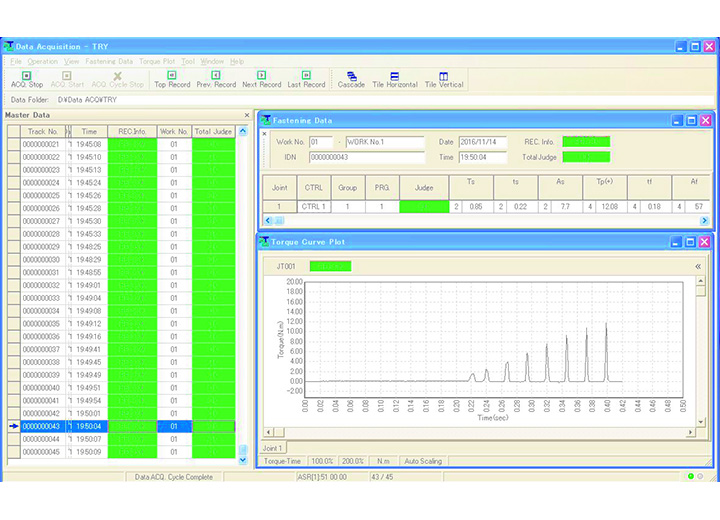
Fastening Data Acquisition Display Screen
-
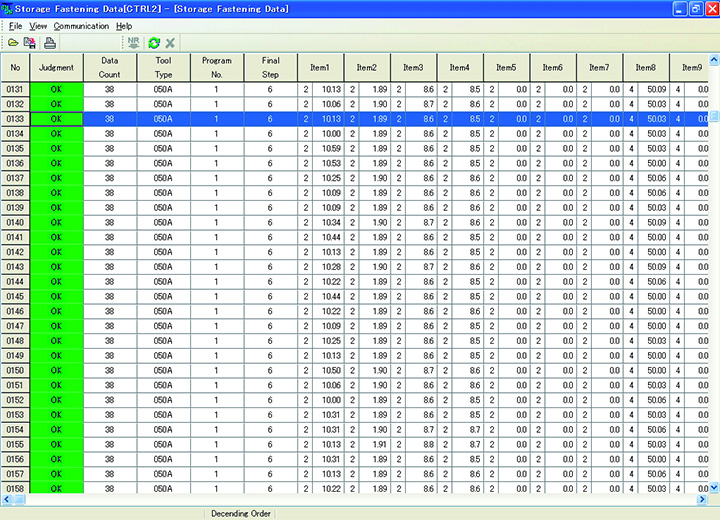
Storage Fastening Data Display Screen
-
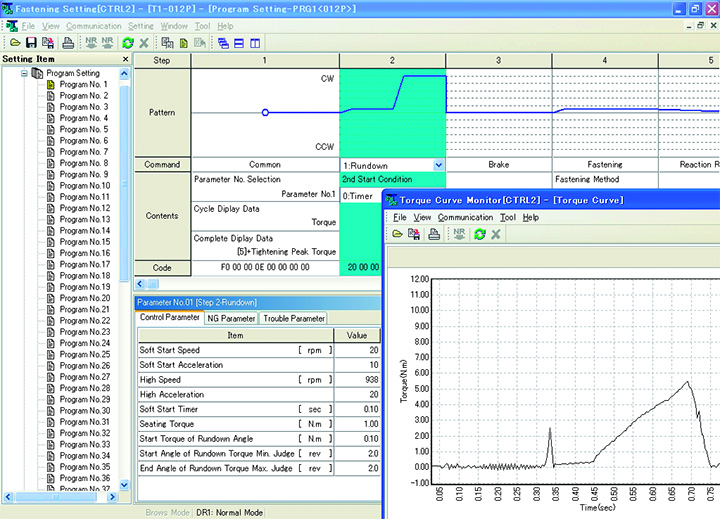
Fastening Setting / Torque Curve Monitor Display Screen
-
Fastening Data Acquisition Display Screen
-
Storage Fastening Data Display Screen
-
Fastening Setting / Torque Curve Monitor Display Screen
Function
- Basic version / Full support version
-
・Fastening setting
・Storage fastening data display
- Full support version only
-
・Fastening data acquisition
・Torque curve monitor
・Tool maintenance check
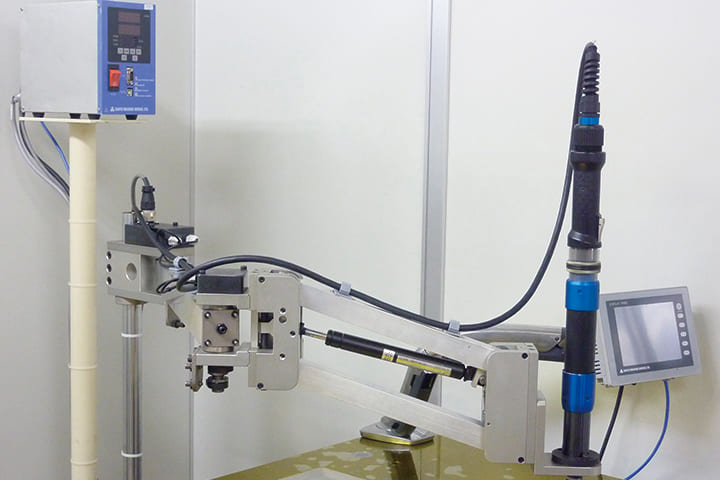
Position arm
- ・Fastening sequence and fastening program switching function through position detection.
- ・Light weight and high-rigidity due to parallel links. No need for a tightening reaction force receiver, eliminating the burden on the operator.
- ・Slim design saves space. Installation is completed by simply setting up a support pole. Weight balancing using gas dampers eliminates the need for air piping.